

Multilingual desktop publishing services
Multilingual desktop publishing that translates and lays out brochures, catalogues and labels.
Agencies and companies get translated catalogues, brochures and packaging back in their original design, ready to print, in InDesign, Illustrator, Word or PDF. Free quote shortly after your request.
Who usually asks for it
- Design agencies
- Catalogue publishers
- Packaging producers
- Tourism offices
- Cultural bodies
- Annual report teams
- Translator and layout specialist per project
- Original format, ready to print
- Works with InDesign, Illustrator and Word
- Brochures, labels, posters, reports
- Translator and layout specialist per project
- Original format, ready to print
Our multilingual desktop publishing services bring translation and layout together in one project. A native translator works on the text of your catalogue, brochure or packaging, a layout specialist fits it back into the design, and you receive the file in its original format, ready to print or publish.
What multilingual desktop publishing (DTP) is
Multilingual desktop publishing, also called multilingual layout or DTP, is the adaptation of a graphically designed document into another language. The text is translated, then placed back into the original design and adjusted, so that the translated version reads well and looks as finished as the source document.
Your designers decide the layout; our part starts afterwards. Typography, spacing and some visual elements may need adjusting to the conventions of the language and country you are addressing.
Documents that need DTP
Any document where text and design depend on each other needs DTP: catalogues and brochures, posters, labels and packaging, tourism and cultural brochures, annual reports and advertising material in general. If the translated text has to go back into a designed page rather than a plain text file, layout work is part of the job.
For a PDF, check which program created it: open the document properties in Adobe Acrobat and look at the application listed. If the PDF was not made in Word or PowerPoint, it most likely needs DTP. Our PDF translation page (in Spanish) explains how we handle PDF-only files.
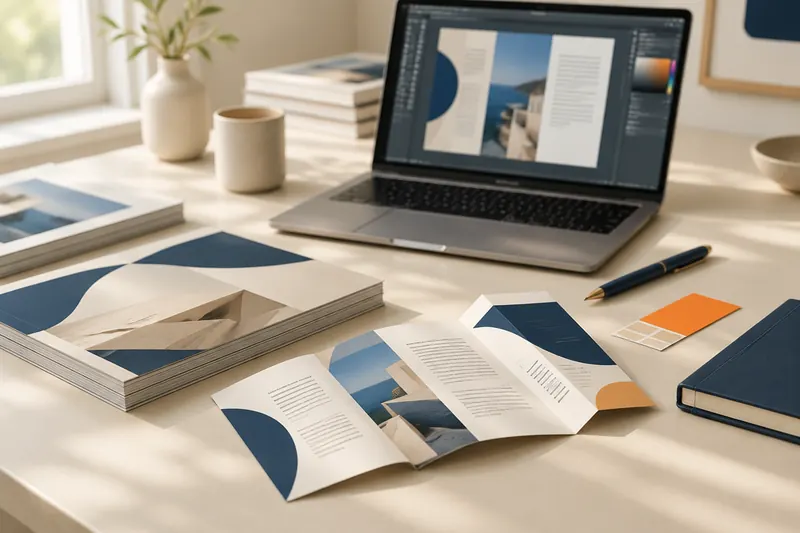
What changes when a text is translated
A translated text rarely fits the space of the original. Its length changes, some languages run from right to left, fonts may lack characters, and hyphenation, numbers and dates follow other rules. Desktop publishing deals with each of these points, so that the translated document keeps the balance of the original design.
- Text expansion and contraction. Languages with long words, such as German or Finnish, can overflow text frames, while shorter versions leave gaps. We adjust frames, line breaks and spacing.
- Right-to-left languages. Arabic and Hebrew are read from right to left, which changes text direction and alignment. In InDesign, this bidirectional text is set with Adobe's World-Ready composers.
- Fonts and glyph support. A font chosen for English may lack the accented, Cyrillic, Greek or Asian characters of the target language. We choose a font that supports them and stays close to your typography.
- Hyphenation. In InDesign, the language assigned to the text determines the dictionary and the hyphenation rules. We set the right language so that words break correctly.
- Numbers, dates and punctuation. Decimal separators, date formats and punctuation vary: French, for example, adds a space before a colon. For Arabic text, InDesign offers a choice between Arabic (Western), Hindi and Farsi digits.
- Images with text. Text inside a photo or chart is not a text frame. When the layered source file is available, we translate those text layers too.
Formats we work with
We work directly in the design and office files your team uses: Adobe InDesign (INDD and IDML), Illustrator (AI), Photoshop, Word and PowerPoint, as well as PDF. You get the translation back in the same format you sent, ready for your designers.
InDesign is mainly used for books, brochures and catalogues, Illustrator for vector work such as logos and posters, and Photoshop for images.
Read more
IDML is the interchange format of InDesign: Adobe lists it for backward compatibility to InDesign CS4, and IDML files can be opened in supported earlier versions. Our InDesign translation and layout page (in Spanish) goes into more detail.
If your design was made in Canva or Figma, tell us when you ask for a quote. Depending on what the files allow, we can work from an export.
What to send us
Send the source files of the design, not only the PDF, and tell us the target languages and your deadline. For InDesign, we need the full package with fonts and links; for Illustrator, the AI file. For any other program, ask us first and we tell you what to send.
- InDesign: the document fonts, the linked images, the IDML file, the INDD file and a PDF. The Package command (File > Package) can gather them in one folder, with an IDML file and a print PDF. Fonts activated from Adobe Fonts are not copied, so tell us which ones the design uses.
- Illustrator: the Adobe Illustrator (AI) file.
- Any other format: ask us first.
How a desktop publishing project works
Each project follows the same path: a quote, translation of the text from the IDML file by a native translator, layout by our desktop publishing team, a check of the final PDF by the translator, and a last check by a project manager before delivery.
- 1Quote
Send your files and target languages through our translation quote form. We reply quickly after receiving your request, with the price and the delivery date.
- 2Translation
We load the IDML file into our translation tools and assign the project to a native professional translator.
- 3Layout
We export the translated IDML to our desktop publishing team, who adjust the layout.
- 4Translator check
The translator checks the text in the resulting PDF.
- 5Final check and delivery
A project manager makes a final check and sends you the translated files.
For agencies and in-house design teams
We work as a translation agency for advertising agencies and for companies with their own design team. You keep the design and the creative decisions, and we handle the translated text and its layout. If you prefer to keep the layout in-house, you can send us only the IDML file and we return it translated.
For campaign copy, see our marketing translation services; for hotels and destinations, our tourism translation; and when the brochure also goes online, our website translation services.
Related pages
Frequently asked questions about multilingual desktop publishing
Can you deliver the file already laid out?
Yes. We deliver the translated document laid out in the same format as the original, for example InDesign, Word or PowerPoint, ready to print or publish.
Can you translate a document if I only have the PDF?
Yes. Tell us when you ask for a quote: we review the PDF and tell you how we can work from it. If the editable source file exists, send it too for a more accurate result.
Do I need to send the fonts and images?
For the layout, yes. Without them we can translate the text, but we cannot check the layout or prepare the file for print. Fonts activated from Adobe Fonts are not copied into the package, so name them in your message.
Can our designers do the layout themselves?
Yes. Send us only the IDML file and we return it translated, ready for your team to adjust the layout.
What if our InDesign version is not the same as yours?
Save or export the document as IDML before you send it. Adobe states that IDML files can be opened in supported earlier versions of InDesign, although some newer features may not be preserved.
More questions
Which languages do you work in?
We work in more than 50 language combinations; see our languages page.
Multilingual desktop publishing works with business document translation, marketing translation and tourism translation.
How it works
- 1
Send your text
Send your document by email or through the quote form, with the languages and the deadline you need.
- 2
Get your quote
We reply quickly after receiving your request with the price and the delivery date.
- 3
We translate it
A specialised native translator translates your text, and a quality check is always carried out before delivery.
- 4
You receive it
We deliver in the original format of your file where possible, on the date we agreed with you.
Need a professional translation?
Request a free, no-obligation quote. We reply quickly after receiving your request.